MX™ Connect Introduction
Learn about MX™ Connect, Priority’s merchant boarding and partner management system, including features, reporting, APIs, filters, labels, and support tools.
Introduction
MX™ Connect (MXC) is Priority’s premier merchant boarding and partner management system. It is designed to give you greater flexibility and control so you can focus on growing your business.
The platform centralizes the full merchant-lifecycle workflow—spanning onboarding, underwriting, portfolio management, analytics, and support—into a single, integrated system optimized for high-volume payment processing environments.
In this guide, you’ll find:
- A high-level overview of MXC features and benefits
- Details on Filters, Labels, and the Global Filter
- Guidance on reporting and APIs
- Links to related resources for deeper exploration
What is MXC
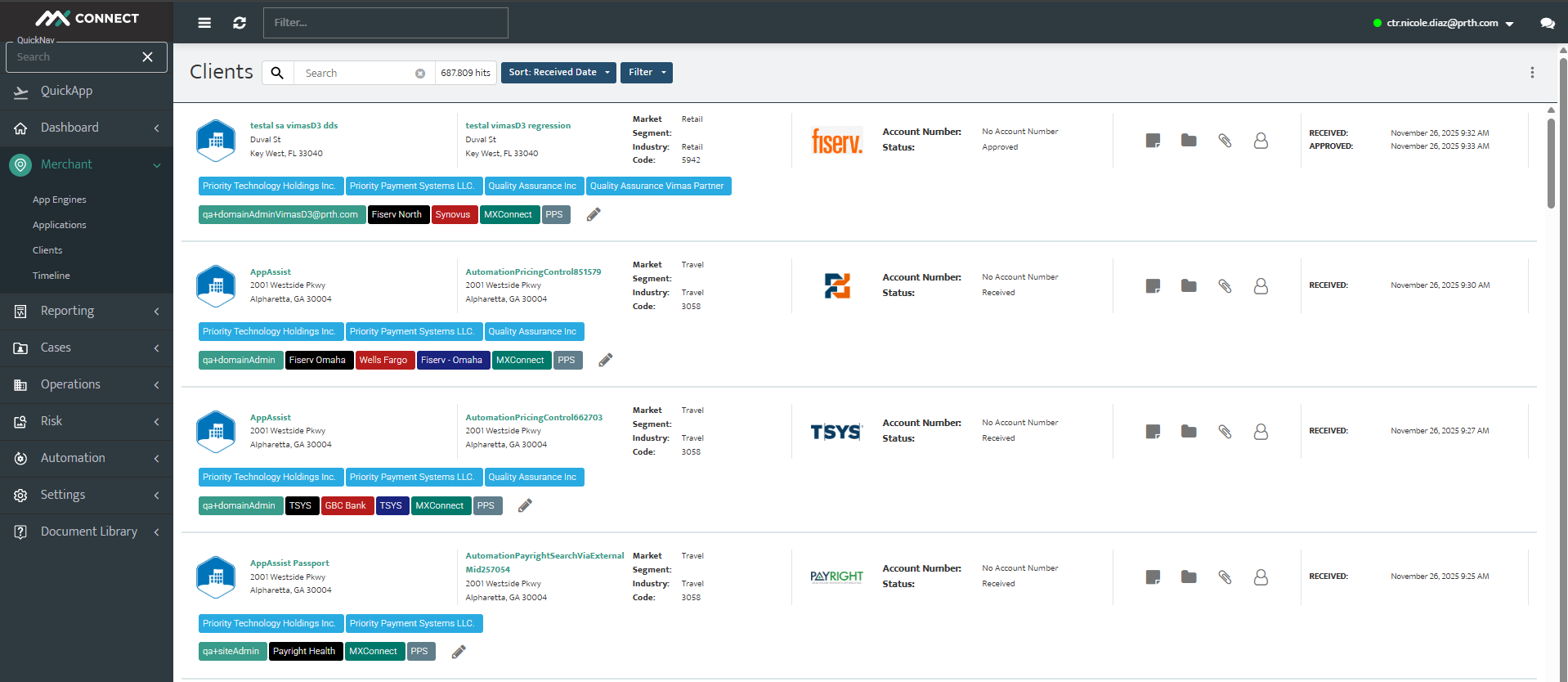
MXC streamlines the entire lifecycle of merchant management. From application intake and underwriting to risk monitoring and reporting, MXC provides a complete operational framework for businesses and partners. Merchants—business entities that accept and process card transactions—are managed end-to-end within this platform. The system also supports complex partner hierarchies, allowing third-party vendors to manage their own portfolios under Priority.
Features & Benefits
Application Onboarding and Merchant Pricing
- True Flat Rate Pricing: simple and transparent of true flat-rate pricing
- Google Places Integration: Expedite application submissions and reduce data entry errors
- HelloSign Integration: Embrace the convenience of efficient electronic document signing
- App Engine/QuickApp: Leverage the power of App Engine and QuickApp for rapid and responsive application processes
- Customizable Pricing Templates: Tailor pricing templates to meet specific needs and preferences
- Branding: Application, email, product and statement branding with card brand registration
- Underwriting and Risk: Controls available
Reporting
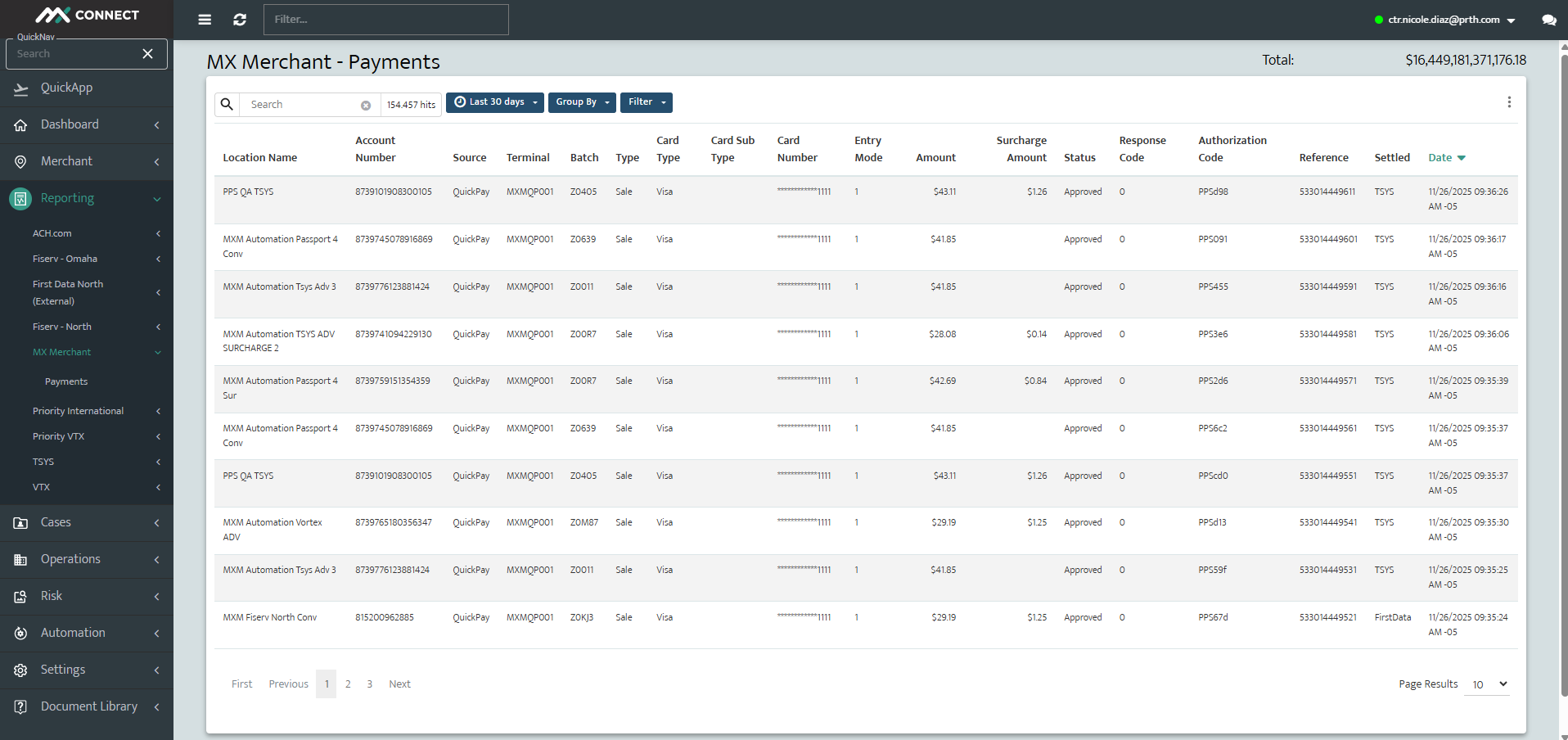
Whether you’re reviewing an individual merchant or your entire book of business, reporting allows you to keep an eye on important issues such as ACH Rejects, Suspended Funds, and TIN Withholding. Reports such as Processor Notes, Funding Delay and Disputes help you be proactive instead of reactive.
- Responsive Reporting: Gain full control over reporting, whether for your entire portfolio or at the merchant level
- Easy sub office setup and residual reporting
- Custom Labels: Personalize your experience with custom labels and explore additional features
Flexible Merchant Statement Environments
- Provide merchant transparency
- Combat competitors
APIs
- Merchant onboarding: Integrates directly with your CRM to send new merchant application data directly to MX™ Connect so you don’t have to
- Reporting: Provides a myriad of reports for all payments accepted by your merchants
Support
- Cases: An integrated ticketing system with built-in SLAs and hands-free tracking
- Live Chat with Customer Service: Connect instantly with customer service through live chat for real-time support
Filters, Global Filter & Labels
MX™ Connects’ Filters and Labels allow you to analyze your portfolio. Filters and Labels allow data to be grouped and isolated so you can
review the data that’s most important to you, faster. Filters, once set, may be saved for future use.
For additional context on working with client data, see the Clients Grid Guide: TBD.
Global Filter
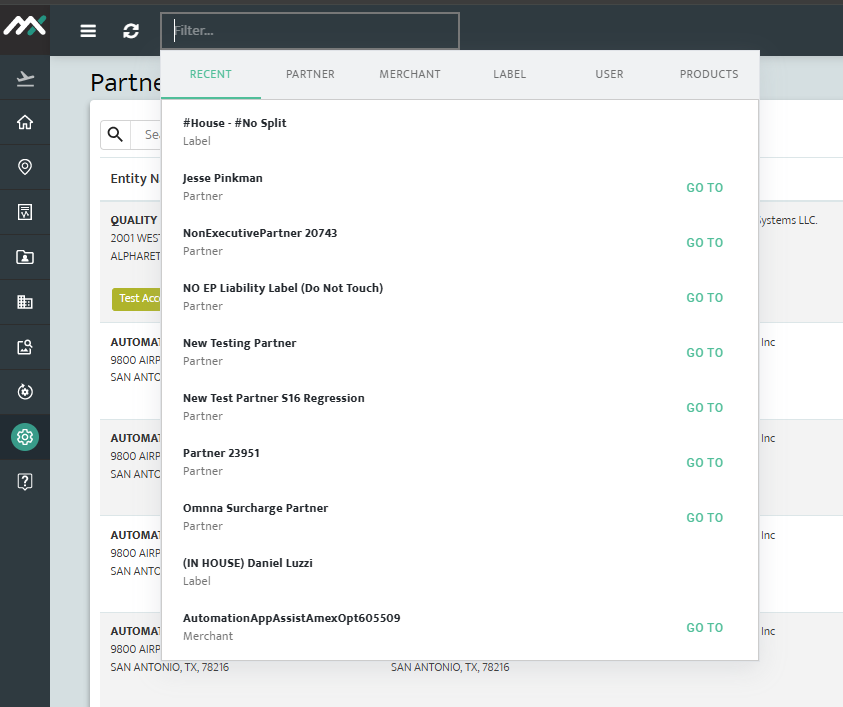
The Global Filter feature enables users to search and filter results across different sections in real-time. It allows searching by partner, merchant,
label, user, and product with an intuitive autocomplete function. The “Go To” button simplifies navigation to specific details within these categories.
The system displays a maximum of 10 results per section and includes error handling for empty searches. Additionally, the TSYS Clearing report supports flexible filtering for the Amount field, offering multiple comparison options like “Greater Than” or “Equal To.”
Time Filter
The filter located in the top right hand corner allows you to set the time for when you would like to see the data appear. For example, if you are on the Dashboard and change the time to Last 90 days, all data on the screen now reflects the last 90 days.
Labels
Pre-Defined Merchant Labels
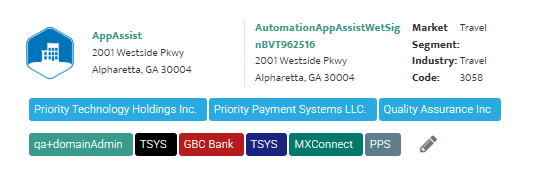
When a new client is boarded in MX Connect, five labels are automatically applied to the account. These labels are fixed and cannot be removed. They provide key identifiers used across reporting, hierarchy management, and merchant servicing.
1. Partner (Head Office Name)
Identifies the partner organization (ISO, sales office, or reseller) under which the merchant was boarded. This is the partner’s legal or headquarters name and determines where the merchant sits within the partner hierarchy.
2. Sales Representative Name
Captures the name of the individual sales agent responsible for signing or referring the merchant. This ensures tracking of sales performance, commissions, and partner accountability.
3. Processor
Indicates the payment processor through which the merchant’s transactions are routed (e.g., Fiserv Omaha, Fiserv North, TSYS). This label is critical for settlement, reporting, and troubleshooting processing issues.
4. Originating CRM
Records the customer relationship management (CRM) system from which the merchant originated. This provides visibility into the source of merchant acquisition and allows for tracking across integrated systems.
5. Sponsor Bank
Identifies the financial institution sponsoring the merchant’s processing account. Sponsor banks are required for card network registration and underwriting compliance.
Updated 30 days ago